
Full Page Screenshot ToolCapture Any Entire Website
Paste any URL and get a pixel-perfect, full page screenshot of the entire website. No extension to install, no software to download. Just results in seconds.
Website URL
Device
Width in px
Format
Advanced
Enter a URL and click Generate Screenshot
Your full page screenshot will appear here
How to take a full page screenshot of any website
Enter URL
Enter the full web address of the page you want to capture.
Configure Options
Choose from desktop, tablet, or mobile viewports.
Generate Full Page Screenshot
Click the button and wait a few seconds.
Download & Share
Save your complete page screenshot or share it with others.
Wondering how we deliver this quality for free?This tool runs on Microlink's screenshot API—the same infrastructure processing millions of screenshots per week for paying customers. You get enterprise performance at no cost.
Chrome extension
Capture screenshots right from Chrome
Skip the tab switching — the Microlink Web Page Screenshots extension captures full-page screenshots straight from Chrome's side panel, powered by the same Screenshot API as this tool. Capture, annotate, and download — single or up to 50 in bulk. See everything it does.
Up to 50 URLs per batch
Annotate before saving
Social share frames
No account needed

5 screenshots/day included — need serious volume?
Upgrade for up to 46,000 screenshots per month.
Upgrade for up to 46,000 screenshots per month.
Why choose our full page screen capture tool?
Capture the Entire Webpage, Not Just the Visible Area
Capture the Entire Webpage, Not Just the Visible Area
Most screenshot tools only capture what's visible on screen. Our tool scrolls and renders the entire web page.
Every section, every pixel, into a single high-resolution image. Whether it's a long landing page or an infinite-scroll blog, you get the whole site screenshot. See the customizing output guide for all capture options.
Every section, every pixel, into a single high-resolution image. Whether it's a long landing page or an infinite-scroll blog, you get the whole site screenshot. See the customizing output guide for all capture options.
No Extension, No Install — 100% Online and Free
No Extension, No Install — 100% Online and Free
This is a full page screenshot tool that works entirely in your browser. No Chrome extensions, no desktop apps, no sign-ups required to start.
Capture any website for free — it's a full page screen capture online, with no hidden limits or trials. Just a fast, online screenshot capture experience.
Capture any website for free — it's a full page screen capture online, with no hidden limits or trials. Just a fast, online screenshot capture experience.
Pixel-Perfect at Any Resolution
Pixel-Perfect at Any Resolution
Need a full screen website screenshot at 1440px? 1920px? Custom dimensions?
Choose your viewport width and get a crisp, accurate capture every time. Configure browser settings for device emulation and dark mode. Perfect for designers, QA teams, and agencies that need reliable web page screenshots.
Choose your viewport width and get a crisp, accurate capture every time. Configure browser settings for device emulation and dark mode. Perfect for designers, QA teams, and agencies that need reliable web page screenshots.
Blazing Fast, Zero Ads
Blazing Fast, Zero Ads
Our rendering engine captures full webpage screenshots in seconds, even for pages that are thousands of pixels tall.
Automatically block ads and cookie banners before the rendering. No timeouts, no broken renders.
Automatically block ads and cookie banners before the rendering. No timeouts, no broken renders.
Who needs full page website screenshots?
From design reviews to automated testing, website screenshots power workflows across every team.
Designers & Agencies
Capture full website screenshots for client presentations, design audits, and portfolio showcases.
Save entire webpages as images with one click — no more stitching screenshots together. Learn about embedding and delivery options.
Save entire webpages as images with one click — no more stitching screenshots together. Learn about embedding and delivery options.
QA & Development Teams
Take full page screenshots across different viewports and resolutions to catch layout issues before launch.
Create any kind of product, automation or integration with our screenshot API. Need to capture pages behind a login? See the private pages guide.
Create any kind of product, automation or integration with our screenshot API. Need to capture pages behind a login? See the private pages guide.
Marketing & SEO Professionals
Screenshot competitor landing pages, track design changes over time, or capture long web pages for reports.
Get a snapshot of any entire website without ever visiting it. For quick viewport screenshots, try the standard screenshot tool.
Get a snapshot of any entire website without ever visiting it. For quick viewport screenshots, try the standard screenshot tool.
Need it at scale? Use the Screenshot API
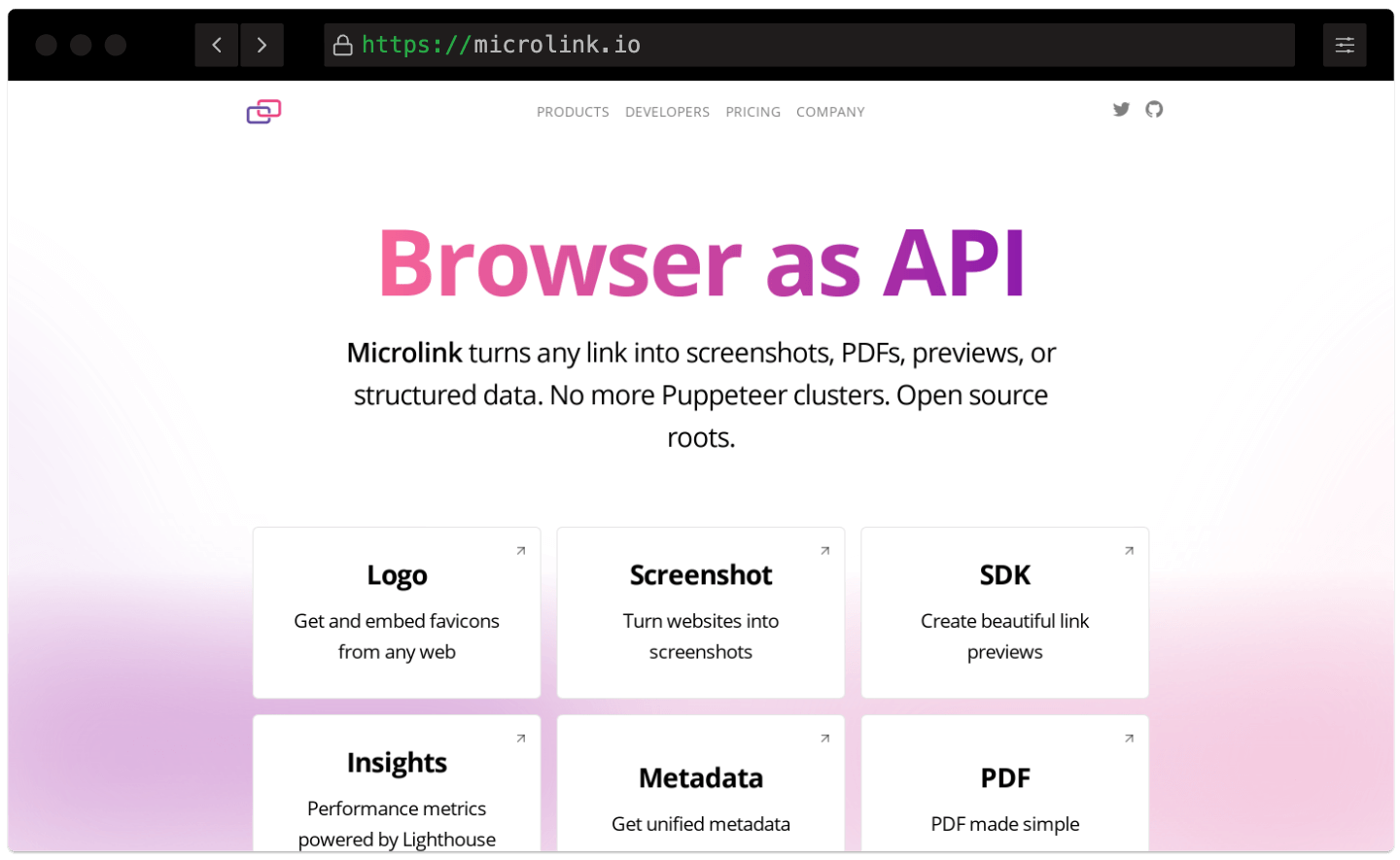
Automate full-page captures at scale with no infrastructure to run.
No servers to maintain, no load balancers, no paying for capacity you don't use. Microlink lets you spend more time building and less time configuring — easy integration via Screenshot API.
Fast CDN Delivery
Screenshots are served via a global CDN with 340+ edge locations. Lightning-fast delivery anywhere in the world.
Smart Caching
Automatic edge caching with configurable TTL. Cached responses are free and don't count against your plan.
Zero-Config API
Get started in minutes with a simple REST API. No browsers to manage, no infrastructure to maintain.
Fast CDN Delivery
Screenshots are served via a global CDN with 340+ edge locations. Lightning-fast delivery anywhere in the world.Smart Caching
Automatic edge caching with configurable TTL. Cached responses are free and don't count against your plan.Zero-Config API
Get started in minutes with a simple REST API. No browsers to manage, no infrastructure to maintain.
Screenshot API documentation
Explore the full Screenshot API reference with interactive examples, SDKs for every language, and ready-to-use code snippets.
What's the maximum screenshot size?
On the screenshot tool, the maximum width goes up to 8000px. The height is not limited — it'll be as long as the page is. See the browser settings guide for viewport and device emulation options.
Is this entire website screenshot tool really free?
Yes! You can take up to 5 full page screenshots per day for free, with no credit card required.
Building an app or an AI agent? Use the Screenshot API with a developer API key to take screenshots from your code.
What's the quality of the screenshots?
We always use the best quality settings for the full page screenshots. Then we compress the images to the smallest file size possible without losing quality. Learn about all the available options in the customizing output guide.
Do you offer a screenshot API?
Absolutely. The tool is built on the Microlink Screenshot API, which provides a simple REST endpoint. Integrate with any language — Node.js, Python, Ruby, or plain cURL.
Use the Microlink SDK for Node.js, or hit the API directly from any HTTP client. Check the embedding guide for delivery and integration patterns.
How does caching work?
Screenshots are cached on our global CDN by default. Cached responses are served instantly and don't count against your limit. It lasts for 24 hours.
We only recommend turning off the cache if you need to take a screenshot of a page that changes frequently. Read the caching and performance guide for advanced strategies.
Any question or issue?
Check our troubleshooting guide for common fixes, or reach us at: [email protected]