

Rich Link Previews in a Chat-Style Note App
How a "message yourself" notes app turns every URL into a tappable preview card — with Microlink generating the metadata behind every link saved.
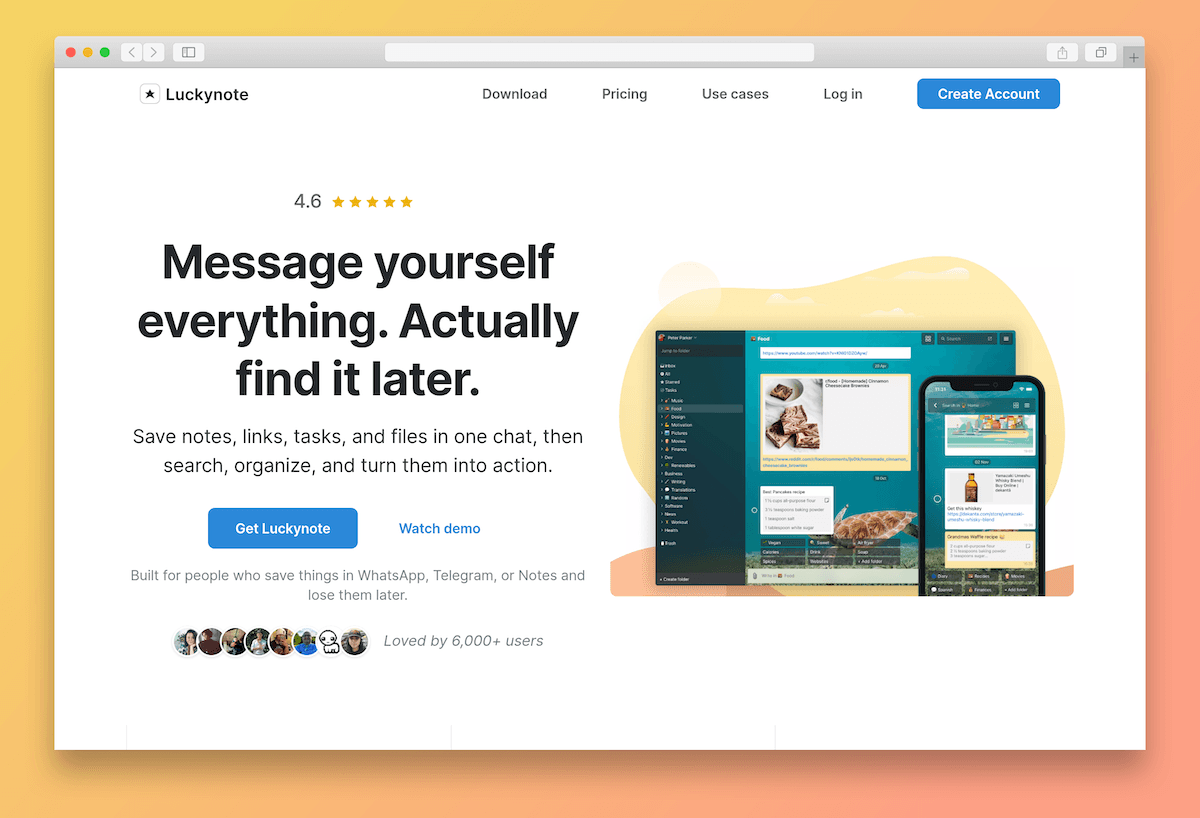
A "message yourself" note-taking app for ideas, links, and tasks across iOS, Android, and Web.
Luckynote is a note-taking app built around a simple idea: you write to yourself, like you'd message a friend, and your ideas, links, and tasks live in one chat-style interface. It's designed for the kind of saving people already do in WhatsApp, Telegram, or the iOS Notes app — except in Luckynote those saves stay organized, synced, and easy to find again.
The app runs on iOS, Android, and the web, with a Chrome extension that drops anything you find online straight into your inbox. The free tier includes unlimited folders, sync across all devices, and Lucky Actions — the app's smart message handling — and is loved by 6,000+ users at a 4.6 rating.
Microlink turns messy URLs into beautiful previews instantly. It's the fastest way to add professional polish to our cross-platform app. On top of that, every time I had an idea of additional info that could be fetched, the team responded promptly, and we found a way to integrate it. It feels like the service is also growing with the customers' needs.

A rich preview behind every link pasted into a note
When a user writes a note that contains a URL, Luckynote calls Microlink's Metadata API and gets back the page's title, description, and preview image in a single request. That metadata feeds straight into the card the user sees right next to the message — so the link arrives with context, not just a domain name.
What used to be an opaque URL becomes a tappable preview the user can scan in a glance. The same Microlink endpoint serves Luckynote's iOS app, Android app, web app, and Chrome extension — Microlink works just as well from a native HTTP client on Swift or Kotlin as it does from the browser, so there's no preview logic to duplicate per platform.
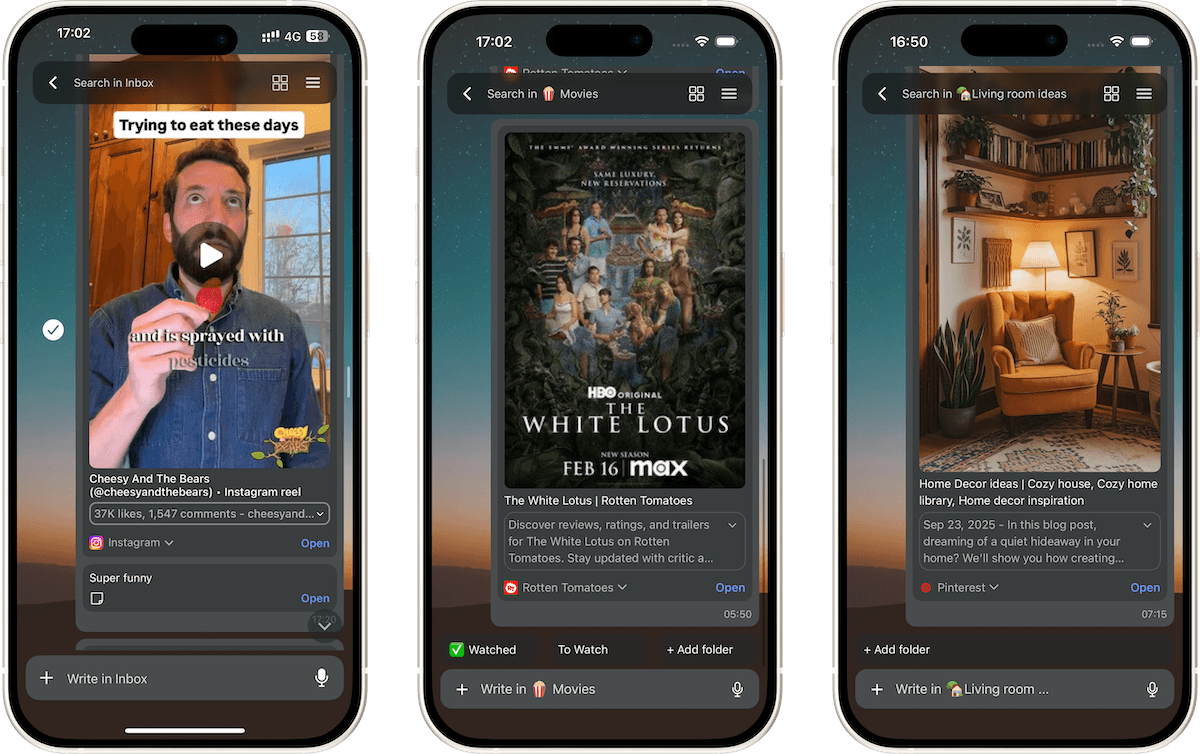
A metadata API that ships to web and native, no SDK required
Building rich previews for every URL in every note shouldn't require an in-house rendering pipeline. Luckynote reached for Microlink for three reasons.
Ready to ship link previews?
Extract titles, descriptions, and images from any URL with a single API call — drop them straight into your product, the way Luckynote does.
See how other teams ship with Microlink


Thank you to the Luckynote team for letting us share their use case, and for choosing Microlink to power link previews across their notes app.